How can a creative team keep AI product photography consistent across a campaign?
Start with approved source images, one written visual brief, and an example the team agrees to match. Keep lighting direction, palette, product scale, and crop explicit. Use those references when creating each asset, then review the set together. Consistency comes from a repeatable process as well as the tool.
Account required. Review the trial allowance and credit costs before generating.
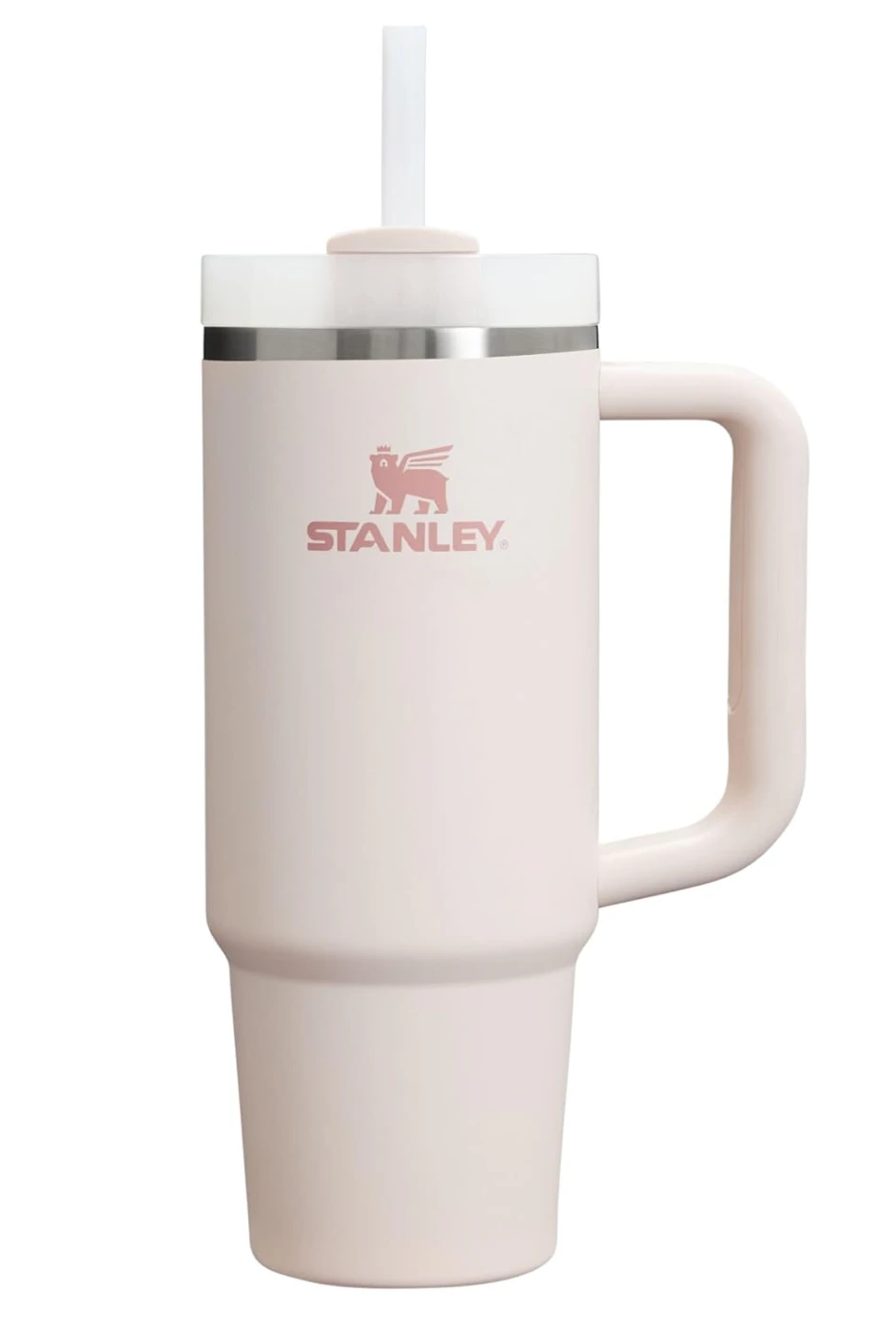

This source and lifestyle result are already published in the CREATR showcase. Use the pair to discuss what may change around a product and what must stay recognizable. It does not demonstrate team permissions or a shared approval system.
See the original CREATR showcaseApprove a small set before expanding a visual direction across the catalog.
What belongs in the team’s creative brief?
- The product truth
- Record the approved source, colorway, materials, packaging, and visible details. Name the correct product and variant. A reference library is only helpful when everyone can tell which image represents the item being sold.
- The shared visual direction
- Describe background, light, palette, props, camera distance, and product scale. Include one approved example and explain why it works. A mood reference helps with style; it does not prove that a generated product is accurate.
- The deliverables and review owner
- List the actual placements: a product page, a collection banner, an email, or an ad. Decide who checks product details and who checks campaign presentation. Do not treat a finished generation as an approved asset.
- The account and access requirements
- Before choosing a plan, confirm supported team access, asset sharing, permissions, and billing. A brand profile is not the same as live collaboration or an approval workflow. Ask about the specific team behavior you need.

Make the visual brief concrete.
Use a reference set to discuss palette, surfaces, light, and composition. This existing campaign example varies the image purpose while keeping a related visual direction. Each product detail still needs its own review.
Inspect full-size exampleBuild the campaign in a controlled sequence
Agree on a reference set
Select a small number of representative products and the source image for each. Write down required details and prohibited changes. Pick the final formats before generation so the composition has a clear purpose.
Make and review a pilot
Use CREATR photo and scene tools to explore the brief. Brand Intelligence can provide brand context, but the team should still inspect the result against the approved reference and its intended placement.
Expand only after approval
Keep the accepted direction and notes together. Apply the brief to the next products, compare outputs as a set, and record exceptions. Revisit the brief when packaging, products, or the campaign change.
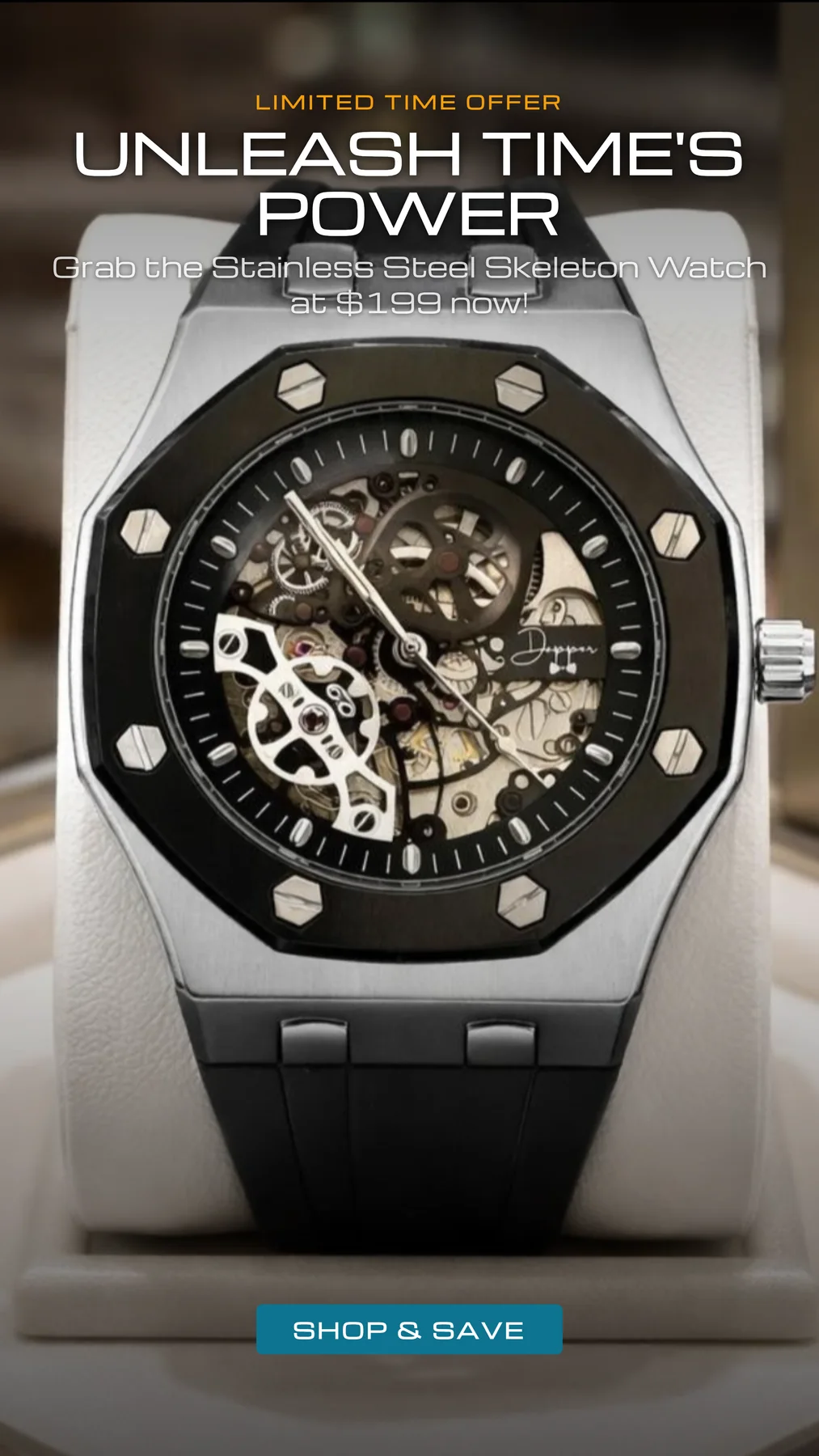
Review the final placement as a team.
An archived CREATR ad example shows why the brief must also cover copy, product visibility, and the call to action. Its pictured offer is sample artwork, not a current offer. Assign someone to verify claims and layout before publishing.
Inspect full-size exampleWhere should the team keep human control?
Color, labels, materials, and product construction remain review responsibilities. A brand-aware prompt can guide generation; it cannot establish that every output is correct.
Website analysis can suggest a brand direction. Treat inferred audience or positioning as a hypothesis to review against your actual customer knowledge, rather than measured audience research.
A repeatable brief is useful in any tool. CREATR’s brand and photo workflows should be evaluated on your own assets. Confirm team-seat and permission needs separately before purchasing.
Your review checklist
Use this on your own result. You make the assessment.
0 of 5 checks marked complete.
Questions before you choose
Does brand consistency mean every image should look identical?
No. A close detail view and a lifestyle scene have different jobs. A consistent campaign can vary its compositions while keeping recognizable colors, lighting direction, product representation, and presentation standards.
Does CREATR guarantee every image will match my brand?
Generated images need review. Use brand context and references to guide the output, then check product accuracy and visual direction. Keep or correct the assets that meet the brief.
Can we assume shared approvals are included?
No. Confirm account access, sharing, and approval requirements with CREATR before selecting a plan. The process described here can guide a team, but it is not a promise of specific collaboration permissions.
Sources and product context
CREATR publishes this guide and offers the photo tools discussed here. The example is from our existing showcase; no cross-tool benchmark or conversion improvement is claimed. Product documentation checked October 29, 2026.
- Midjourney: style references
A style reference can guide colors, texture, lighting, and visual direction. Style consistency and exact product accuracy are separate checks.
- Shopify: product media
Review how images, videos, and 3D media will appear on the product page. Check the requirements of your actual store and theme.
Try the workflow with your product.
Keep your approved source beside the result. Choose the assets that meet your brief, and review the details before publishing.