What makes an AI product photography tool better than a general AI image generator?
A product photography tool earns its place when it makes accurate, repeatable product assets easier to produce and review. Compare how it handles your source photo, keeps recognizable details, repeats a visual direction, and prepares the formats you need. A specialist label alone does not guarantee a better image.
Account required. Review the trial allowance and credit costs before generating.
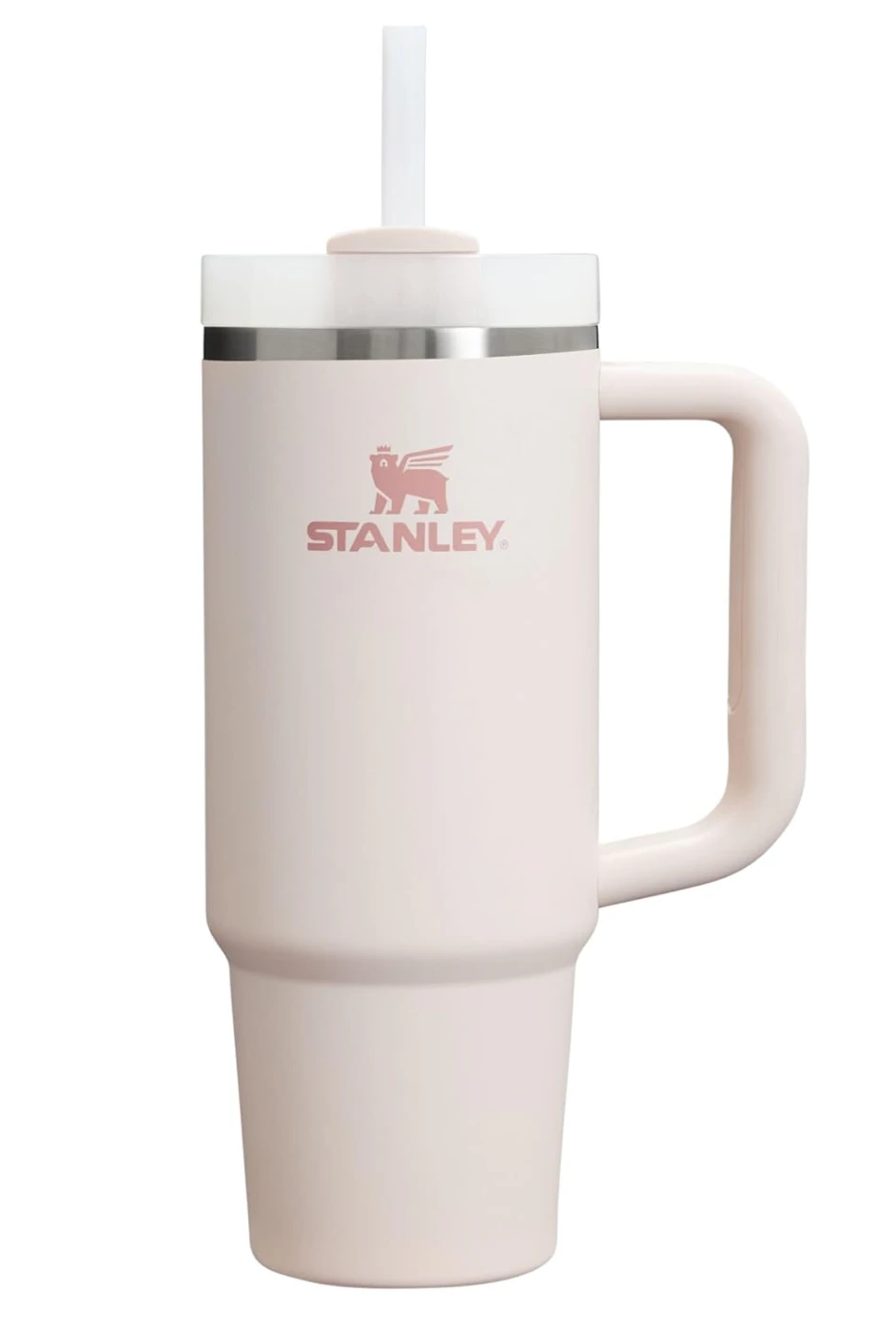

An existing CREATR showcase example: a product source and its generated lifestyle scene. This is one example, not a controlled comparison with another tool or a guarantee of identical results.
See the original CREATR showcaseChoose by the effort it takes to get a usable product image, including review and corrections.
What should you actually compare?
- Product fidelity before visual impact
- Check the silhouette, material, color, logo, label, and number of parts against the source. An attractive scene is not usable if it depicts a different item. Include a difficult product in your test, such as reflective packaging or small printed text.
- Control over the job you repeat
- Look for a clear route from an approved image to a listing view, lifestyle scene, or campaign asset. General tools also support references and image editing. The practical difference is how much setup, prompting, and correction your recurring work requires.
- Consistency across a real set
- Try the same brief on several products. Compare background direction, scale, light, and crop across the set. One impressive image does not establish that a tool can produce a coherent collection.
- Cost per approved image
- Count rejected outputs, reruns, editing time, and review time as well as credits or subscription fees. A low price per generation can become expensive when few results are ready to use. Check current plan allowances before committing.
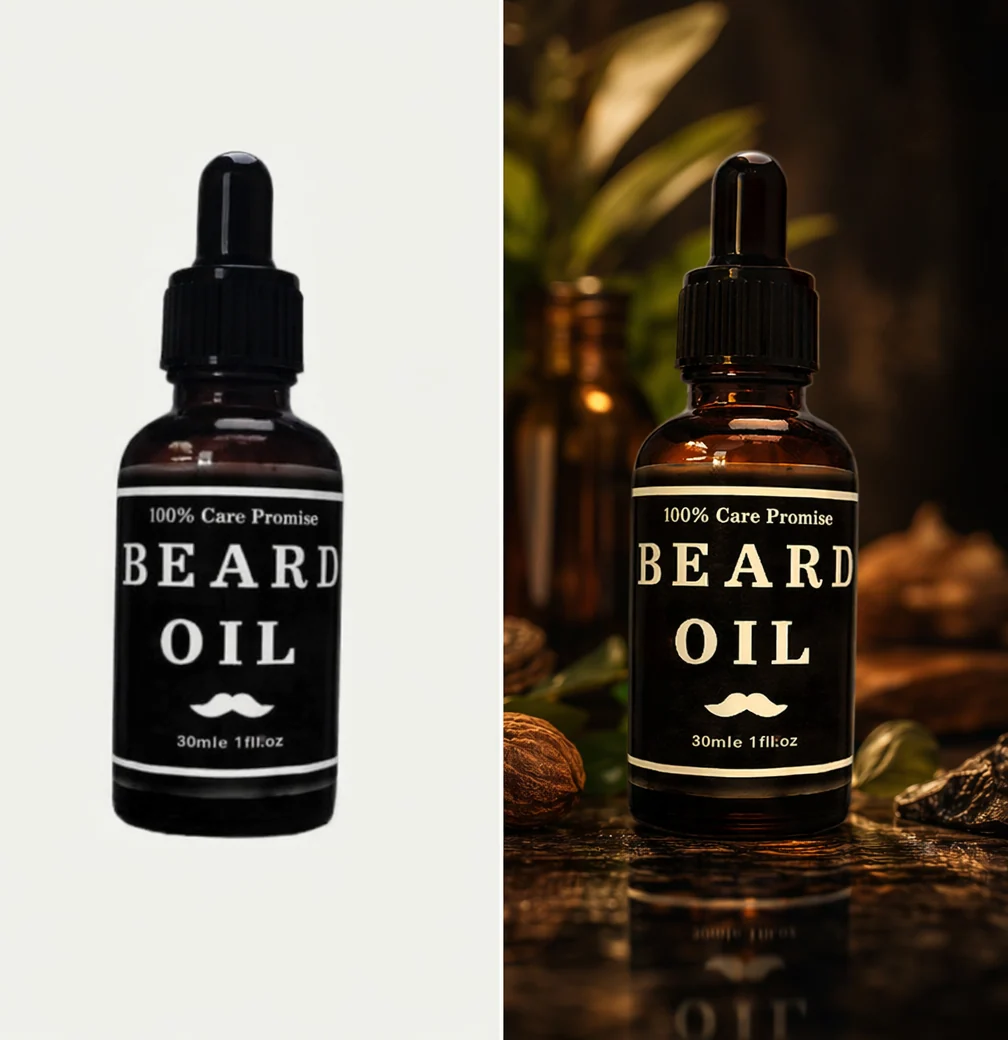
Compare the label before the atmosphere.
This existing CREATR example makes small printed details part of the evaluation. Inspect lettering, bottle shape, cap, and color against the source. A convincing background alone does not settle product accuracy.
Inspect full-size exampleRun a small test before choosing a tool
Use the same source and brief
Choose one straightforward product and one with difficult details. Define the scene, output ratio, and details that must remain accurate. Keep the approved source visible throughout the test.
Create the assets you publish
Request a clean product view and a lifestyle scene. In CREATR, explore the photo tools for those tasks and review each result. Use the same intended deliverables when evaluating another tool.
Record what you can approve
Keep notes on usable outputs, corrections, and total time. Inspect the exported image in your product-page or ad layout before deciding which workflow fits your business.

Evaluate a useful set of deliverables.
The existing sunglasses campaign board shows different image jobs in one visual direction. Compare the effort needed to produce and review this kind of set. It is a CREATR showcase example, not a test against another generator.
Inspect full-size exampleWhen is a general image generator enough?
A general tool may suit occasional edits, concept exploration, or a designer who already has a reliable reference-and-review process. Product-specific software does not automatically outperform it.
Use accurate photography when the image must establish physical details missing from your source. Generating a new angle can invent unseen construction, labels, or hardware.
CREATR can create photo, scene, video, and campaign assets, but generated output still needs human review. Compare supported controls and current pricing rather than assuming perfect fidelity or automatic marketplace approval.
Your review checklist
Use this on your own result. You make the assessment.
0 of 5 checks marked complete.
Questions before you choose
Can a general image generator use a product photo?
Yes. Some general tools accept reference images and can edit existing images. Test their actual controls and outputs. The case for a specialist workflow should be convenience, repeatability, and fit for your production task, supported by examples.
Will a specialist tool always preserve my logo?
No universal guarantee is appropriate. Small text and logos need inspection in every result. Keep the original image when it already works, or use a more controlled editing approach when exact details cannot tolerate regeneration.
Should I replace my original product photographs?
Keep approved originals. Use generated assets where a new setting, format, or campaign direction helps. Original and generated images can serve different jobs on the same product page.
Sources and product context
CREATR publishes this guide and offers the photo tools discussed here. The example is from our existing showcase; no cross-tool benchmark or conversion improvement is claimed. Product documentation checked October 29, 2026.
- Midjourney: editing with reference images
General image tools can also edit existing images and use references. Compare the actual workflow rather than assuming these features are exclusive.
- Midjourney: style references
A style reference can guide colors, texture, lighting, and visual direction. Style consistency and exact product accuracy are separate checks.
- Shopify: product media
Review how images, videos, and 3D media will appear on the product page. Check the requirements of your actual store and theme.
Try the workflow with your product.
Keep your approved source beside the result. Choose the assets that meet your brief, and review the details before publishing.