AI Product Photos for Social Media: Crop, Export and Test
Plan product images by placement, preserve the product in each crop and test one creative change at a time.
By CREATR editorial team · Published · Updated
What changes when a product image moves into a social feed?
A product-page photo can be inspected and enlarged. A social image often has to explain itself in a small moving feed. That does not mean every asset needs loud text or a dramatic scene. It means the viewer should be able to identify the item and understand why the image belongs in the campaign.
Write the destination before generating: organic feed image, vertical story, image ad or the opening frame of a video. Note the aspect ratio selected in the publishing tool, the location of the call to action and any text that must be added during editing. A square image stretched into a vertical frame changes the product; a deliberate new composition preserves it.
| Placement | Composition decision | Check before publishing |
|---|---|---|
| Feed image | Keep the item recognizable at thumbnail size | Product silhouette and variant remain clear |
| Vertical story or short video | Leave room for the placement interface | Captions and action controls do not cover the item |
| Pinterest standard image ad | Plan a tall composition | Check the current ad specification and destination link |
| Retargeting creative | Connect the visible item to the linked offer | Image, variant, price and landing page agree |
Which platform specifications should you use?
Pinterest’s standard image-ad specification recommends 2:3, such as 1000 by 1500 pixels. A taller design can be cropped in feeds. Build the product and the message within the intended frame instead of extending a finished image without checking the result.
TikTok’s Non-Spark in-feed video specification recommends vertical 9:16 and provides format-specific safe-zone files. Its guidance says the safe zone depends on dimensions, captions and additional formats. There is no single margin that safely replaces the current template for every ad.
For Meta placements, choose the destination first and review the current Meta Ads Guide and the preview in Ads Manager. Treat the preview as part of production. Check each enabled placement rather than assuming an automatic crop is acceptable.
How can one source photo become several useful crops?
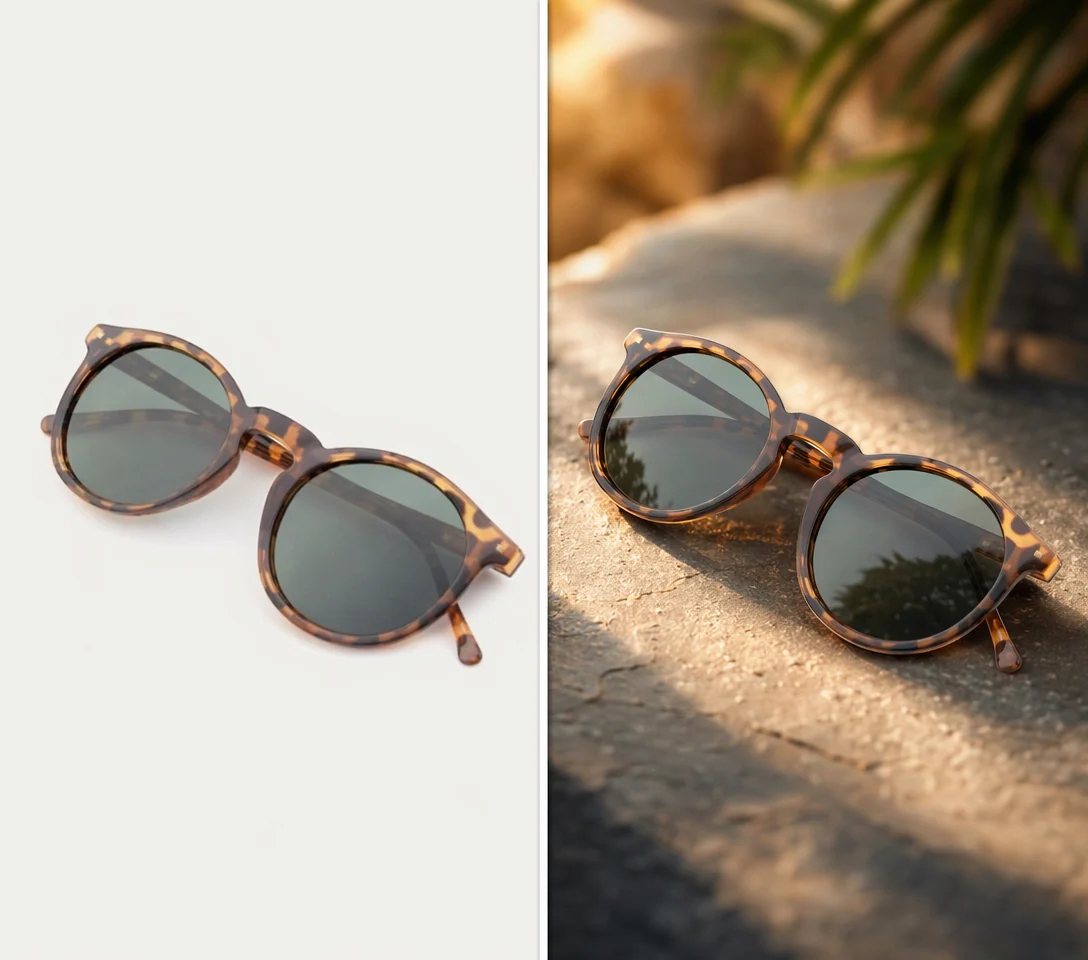
Consider an illustrative sunglasses campaign. The feed version might show the full frame on a neutral surface. The tall version may place the item lower in the composition with open background above it. A closer detail version may focus on a hinge, but it should not replace the full product view if the campaign needs instant recognition.
Use a brief such as: “Create a tall sunlit stone composition around the supplied sunglasses. Preserve the tortoiseshell frame, bridge, temples and lens appearance. Keep the full item visible with clear space above it for separately added campaign text. Do not invent a logo, accessory or claim.” This is an example brief, not a record of how the showcase asset was generated.
Ask for the scene without final promotional typography. Add approved copy through a layout tool so spelling, offer details and spacing remain under editorial control. Keep a clean product image separate when the same catalog also feeds shopping listings.
What should the export review include?
- Compare the product with the source. Inspect the outline, printed details, included parts and variant color.
- Open the exact export at its intended size. Make sure the product still separates from the background.
- Preview the caption, profile information and action controls. Move text or recompose the asset if these cover a critical detail.
- Follow the destination link. Confirm it opens the matching item and that the offer is current.
- Save the approved asset with a SKU, placement and version, keeping the editable master separately.
When a crop fails, correct the composition instead of shrinking everything until it technically fits. A product reduced to a tiny object in a tall frame may avoid clipping and still fail its communication job.
How should you test social creative without fooling yourself?
For an illustrative comparison, use the same product, offer, destination and target audience while changing the scene. Name the question before launch: does a contextual room image produce more qualified visits than the current plain view? Define the business metric and the observation period in advance. Record spend, impressions, clicks and purchases rather than choosing only the most flattering number.
A higher click-through rate with fewer purchases may indicate a misleading scene or a mismatch with the landing page. Check downstream behavior before making the creative a catalog rule. Small samples and changes in delivery can make an apparent winner unreliable.
Use real product-use photography when the social asset must demonstrate a function, fit or safety-related action. AI scenes are a poor substitute for that evidence. The ad creative workflow covers briefs and experiments in more detail; the ecommerce image plan covers the destination page.
Frequently asked questions
Can I post the same crop everywhere?
You can reuse a master asset, but inspect every placement. The product may be covered or cropped differently once captions, action buttons and the destination format are applied.
Should promotional text be generated inside the image?
Add final promotional text in an editing or layout step where you can control spelling, spacing and offer accuracy. Keep a clean product-only version for placements that restrict overlays.
Will AI imagery improve my return on ad spend?
That is not guaranteed. Measure the approved creative against a relevant control and check purchases and contribution after advertising costs, not just engagement or clicks.
Tools for this workflow
- AI Ads Generator: Prepare image and video ad creative for the intended placement.
- AI Video Generator: Turn a product image into a short video and review the complete result.
- Signature: Explore a new creative treatment from an approved reference image.