AI Ad Creative for Ecommerce: Brief, Produce and Test
Turn an approved product image into a focused ad concept, with a complete brief, review checklist and controlled test plan.
By CREATR editorial team · Published · Updated
What belongs in an ecommerce ad brief?
“Make a high-converting ad” does not tell a designer or generator what to produce. A stronger request identifies the situation: a traveler needs a compact pouch, a kitchen buyer needs to see storage capacity, or a shopper is comparing a watch’s everyday appearance. Choose the message the product and landing page can substantiate.
Make the destination part of the brief. If the ad shows a single item, link to the matching product or a relevant landing page rather than an unrelated collection. If the image includes accessories, make it clear which items are supplied. Confirm the offer and inventory before exporting a batch of creative with an embedded promise.
Do not put an unverified performance, health or compatibility claim into an image simply because it makes the hook stronger. Keep a link to the product evidence or approved claims document in the working brief. A generator is a production tool, not the authority for the claim.
| Brief field | Example instruction |
|---|---|
| Job | Show the pouch as an organizer for a short trip |
| Fixed product details | Preserve material, zipper, seams, shape and visible color |
| Creative change | Compare a plain product composition with a travel-context composition |
| Placement | One selected feed image-ad format; create a separate vertical version if needed |
| Copy | Use approved product language; add final typography during editing |
| Destination | The matching pouch product page and available variant |
| Success measure | Purchases and acquisition cost, with click and landing-page metrics for diagnosis |
How do you create variations without changing everything?
Start with the existing approved image as a control. For the first variation, change only the environment. For another round, compare two opening messages using the same visual direction. A test in which the product, discount, audience and scene all change may reveal a better combination, but it cannot explain which change caused the result.
An illustrative visual brief might read: “Use the supplied pouch as the exact product reference. Place it on a clean packing surface beside travel context that does not imply included accessories. Keep its outline unobstructed. Leave open space for separately added copy. Do not add logos or product features.” Review the generated scene against the physical item or approved source.
Make fewer, more deliberate alternatives. If one rejected output has a distorted zipper and another has an invented compartment, do not keep both merely to reach a creative quota. Record rejection reasons and decide whether to change the source, simplify the scene or use a real photograph.
What is the difference between ad imagery and shopping imagery?
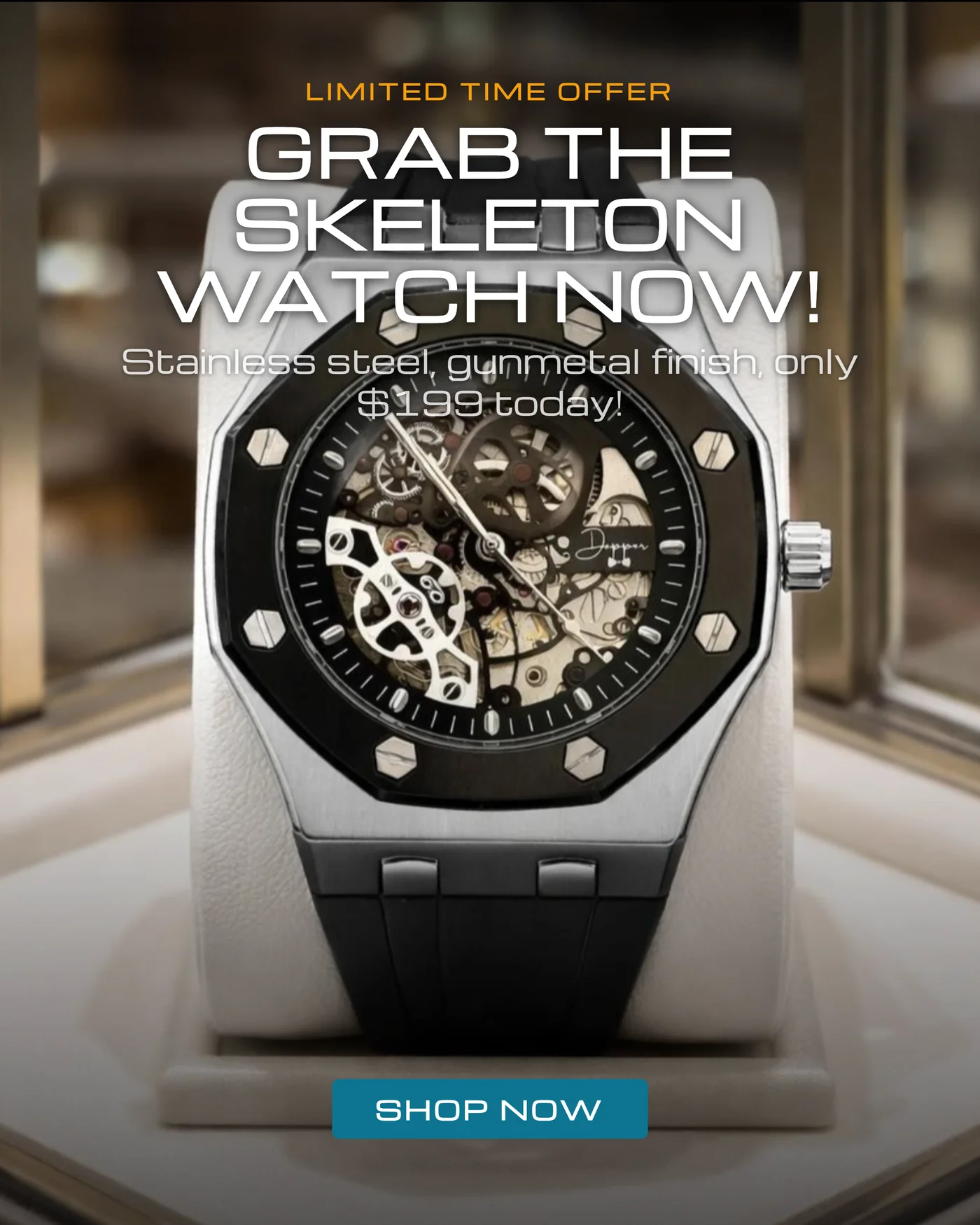
Google Merchant Center’s primary-image guidance restricts promotional overlays. This makes a clean catalog source valuable even when a separate social creative needs a price or call to action. Put each final file into the correct workflow.
For social advertising, check the selected format in the Meta Ads Guide or the destination platform’s official specification. Preview all placements enabled for the ad. Caption length and interface controls can cover material that looked clear on the export canvas.
Keep copy editable until final approval. Add the verified product name, offer and action in a layout tool where spelling and line breaks can be controlled. Export the final dimensions deliberately; stretching a square design into a vertical frame changes both typography and product proportions.
What should the creative review reject?
- A variant color or package that differs from the item customers can order.
- An invented product function, component or included accessory.
- Label or logo text that has changed during generation.
- Offer text that is stale, conditional without explanation or absent from the destination.
- A crop that hides the item under the placement’s interface.
For video creative, inspect the entire clip and its sound. The first frame may be correct while a later motion changes the product. Rights to music, voices and source imagery also need to match the intended use. Use recorded product demonstration when the ad needs proof of an actual action or result.
How do you decide whether a creative test worked?
For an illustrative calculation, an ad with $120 spend and six attributed purchases has a $20 advertising cost per purchase. That arithmetic does not establish profit: subtract product, fulfillment, payment and other relevant costs from revenue as well. If the new creative takes substantially more time to approve, include that in the operational comparison.
Record the control, dates, spend, audience settings and attribution approach. Avoid declaring a winner from a handful of clicks. If the platform distributes exposure unevenly or another offer launches during the test, note the limitation before applying the result across a catalog.
AI does not guarantee lower cost per click or better conversion than a still photograph. Keep the version that serves the campaign under the agreed standard. Read the social export guide for placement work and the video-ad production guide for storyboards.
Frequently asked questions
How many ad variations should I generate?
Generate enough to answer a defined creative question within your review and test budget. More variations are not inherently better, especially when the campaign cannot give each a useful amount of exposure.
Can I reuse my shopping main image as an ad?
It can be a source or a valid control, but the ad placement may need a different composition. Keep the clean catalog image separate from exports containing promotional copy.
What if a new scene gets more clicks but fewer purchases?
Check whether it attracts the wrong audience or sets an expectation the landing page cannot meet. Evaluate downstream purchasing and costs before treating higher click-through as a successful creative.
Tools for this workflow
- AI Ads Generator: Prepare image and video ad creative for the intended placement.
- AI UGC Creator: Create a product-focused presenter video from a script you review.
- AI Content Writer: Draft listing and campaign copy from real product details, then edit and fact-check it.