Product Listing Images: Design, Optimize, Sell
Build a gallery that answers buying questions. Plan the views, check product accuracy, and prepare each image for its destination.
Product listing images show shoppers what they are buying. A useful gallery makes the product easy to recognize, shows its details and scale, and answers questions before a customer adds it to the cart.
For e-commerce brands, preparing product listing photos is part of merchandising. Treat product accuracy, clear presentation, and image delivery as one workflow.
Build the image set around the information a customer needs: the exact variant, its shape and finish, what comes in the order, and how it is used. Test changes against your own sales and return data.
Concept illustrations: use the real product as the reference when reviewing an image set.
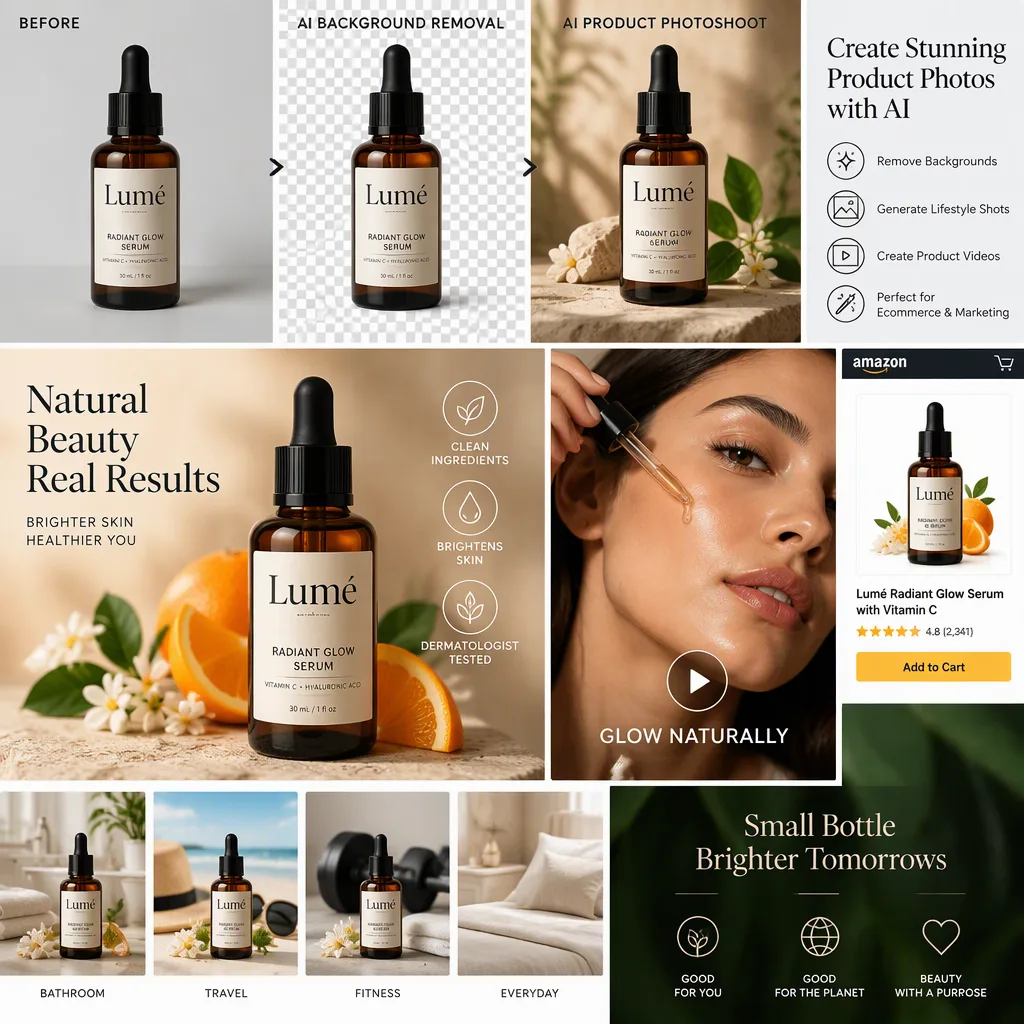
Why product listing images drive clicks and conversions
Shoppers make very fast judgments. Before they read a title or scan bullet points, they notice lighting, framing, color accuracy, and whether the product looks professionally presented. Those cues influence trust.
On marketplaces, the effect is even sharper. Search result pages place products side by side, which means the main image must compete instantly. On a brand-owned storefront, the image set still does the heavy lifting because it carries the burden of showing form, finish, size, and intended use.
Use the gallery to support these goals, then measure whether your changes help:
- Better click-through rate
- Higher perceived value
- Lower return risk
- Stronger brand consistency
They also reduce the gap between what a shopper imagines and what arrives at their door. That gap is where disappointment begins.
Core product listing image types for e-commerce listings
Most high-performing listings do not rely on one perfect hero shot. They use a sequence of images, with each frame answering a different buyer question.
The exact mix depends on category, sales channel, and price point, yet the underlying logic stays consistent. A shopper wants to know what the product is, what it looks like from multiple angles, how big it is, what details matter, and how it fits into real life.
Here is a practical framework.
Image type | Primary purpose | Best use |
|---|---|---|
Main hero image | Win the click and meet platform requirements | Marketplace search results, collection pages |
Alternate angles | Show form and shape | Apparel, electronics, furniture, beauty |
Detail close-up | Prove material, texture, finish, features | Jewelry, skincare packaging, tech accessories |
Scale image | Clarify size and proportion | Home goods, bags, decor, appliances |
Lifestyle image | Show context and use case | DTC product pages, ads, social commerce |
Feature graphic | Explain benefits visually | Complex products, supplements, tools |
Group or variant image | Display colors, sizes, bundles | Fashion, cosmetics, kit-based products |
360 or 3D view | Reduce uncertainty with interactive viewing | Premium products, higher-consideration purchases |
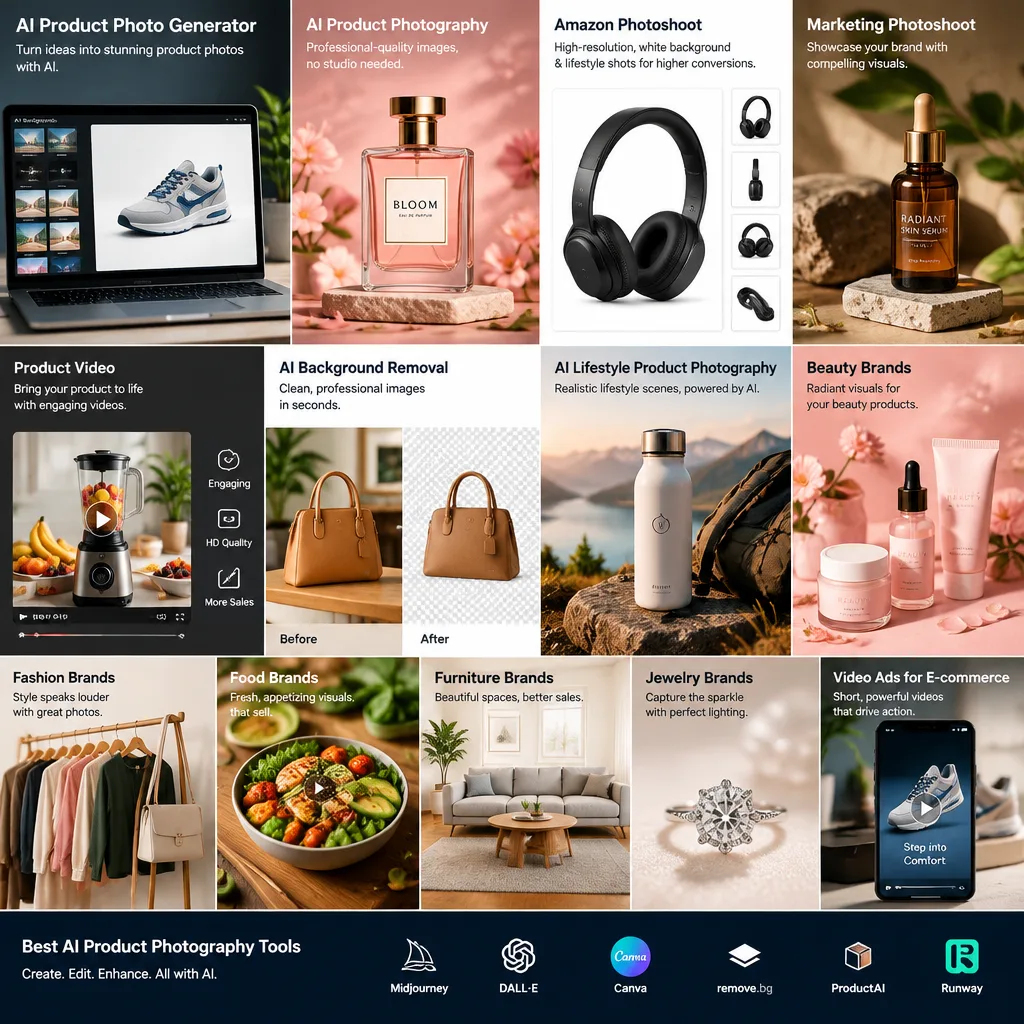

Choose the sequence by the questions it answers, and remove duplicate views that add no information.
Product listing image design principles that build trust
The most effective listing images are usually the clearest ones. Clarity beats cleverness. Shoppers should not have to guess where the product begins, what color it really is, or whether an important feature has been hidden by styling choices.

That starts with the main image. The product should be centered or intentionally framed, well lit, sharp, and easy to identify at a small size. If the product is sold on a marketplace, the first image should respect that channel’s requirements without feeling generic.
After that, consistency matters just as much as beauty. When lighting, cropping, angles, and color treatment vary too much from one SKU to the next, the catalog feels less credible. Consistency makes the brand feel organized and dependable.
A few design principles tend to improve performance across categories:
- Clean backgrounds
- Accurate color
- Consistent framing
- Sharp edges
- Readable packaging
- Balanced negative space
The strongest listings also anticipate objections visually. If shoppers may worry about texture, fit, durability, or scale, the image sequence should answer those concerns before they turn into hesitation.
Main image requirements for marketplaces and storefronts
Every sales channel has its own image expectations. Amazon, Walmart, Etsy, Shopify stores, and social commerce feeds all shape image behavior differently. A brand that uses the same file everywhere without adjustment often leaves performance on the table.
Marketplace main images are usually stricter. They favor plain backgrounds, minimal distraction, and immediate product recognition. A DTC storefront has more room for narrative, branding, and contextual scenes. That freedom is valuable, though the main thumbnail still needs to stay legible when reduced to a small tile.
Keep a separate export checklist for each sales channel.
A useful checklist includes:
- Background choice: pure white where required, soft neutral where brand presentation matters
- Crop strategy: tight enough for impact, loose enough to avoid clipping key details
- Color management: product tone should match reality across mobile and desktop screens
- Text usage: avoid clutter on marketplaces, use overlays carefully on storefront graphics
- Variant visibility: make color or size differences obvious when shoppers compare options
Start with one approved product photo, then prepare the additional views and scenes the channel needs. Review every output for product accuracy and the destination’s current requirements; generation alone does not establish compliance.
Product listing image optimization for speed, SEO, and user experience
An image can look excellent and still underperform if it loads slowly or displays poorly on mobile. Optimization is both technical and visual.
Large, uncompressed files slow down product pages. Poor cropping can hide details on smaller screens. Weak file naming and missing alt text leave organic search value untapped. These are quiet issues, though they affect performance at scale.
Product listing image optimization usually includes three areas: delivery speed, page clarity, and search visibility. Teams that treat all three as part of merchandising tend to create stronger listings.
A balanced optimization process often looks like this:
- File format: use modern formats when supported, while keeping compatibility in mind
- Compression: reduce file size without introducing visible artifacts
- Responsive sizing: prepare images for desktop grids, mobile product pages, and zoom views
- Alt text: describe the product clearly for accessibility and image relevance
- Naming structure: use useful, SKU-friendly filenames rather than random exports
Zoom functionality matters too. On categories where shoppers inspect texture or construction, zoom can be a major confidence signal. If the enlarged view reveals blur or color inconsistency, the listing loses credibility fast.
Product listing images for mobile-first shopping behavior
On a phone, fine details and text overlays become harder to read. Wide crops that feel clear on desktop can make the product too small on a compact screen. Check product page images at the size shoppers will actually see.
That means mobile-first composition should influence every listing image plan.
The main image needs immediate clarity at thumbnail size. Secondary images should avoid tiny callouts or feature labels that require pinching to read. Lifestyle imagery should support the product rather than bury it inside a busy scene.
In practice, mobile-friendly listing images often share a few traits:
- Strong contrast between product and background
- Simple visual hierarchy
- Tighter crops for thumbnails
- Clear feature emphasis
A fast mobile page with crisp, focused images creates momentum. A cluttered one creates doubt.
Creating product listing images at scale without losing brand consistency
Scaling image production is difficult for growing catalogs. New variants, seasonal campaigns, marketplace launches, and testing cycles all create pressure. Traditional shoots can become expensive and slow, especially when each update requires new photography, editing, retouching, and approvals.
That is where system design matters as much as creative skill.
Teams that scale well usually define visual rules early: angles, crop ratios, shadow treatment, background styles, label visibility, and when to use lifestyle versus studio frames. Once those standards exist, production becomes easier to repeat across SKUs.
A practical workflow often includes:
- Approve a hero product photo with accurate brand details
- Generate core listing assets for each required channel
- Add alternate views, lifestyle scenes, and feature graphics
- Review for brand accuracy, readability, and platform compliance
- Publish, test, and refresh based on performance data
AI-assisted product photography can help create variations around an approved reference. Inspect logos, packaging text, colors, proportions, and any newly visible surfaces before publishing. Use real photographs when an output cannot establish an important detail.
Keep source images, approved exports, and review notes together so that the next batch follows the same standard.
Product listing image mistakes that weaken sales performance
Some image problems are obvious. Others quietly suppress conversion.
A main image with poor lighting or awkward cropping is easy to spot. More subtle issues include inconsistent white balance across images, misleading shadows, overstyled lifestyle scenes, or feature graphics that ask the shopper to do too much visual work.
Many underperforming listings share the same weaknesses:
- Too few images
- Low-resolution zoom
- Inconsistent color treatment
- Missing scale reference
- Cluttered feature callouts
- Weak differentiation between variants
There is also a common strategic mistake: treating product listing images as a one-time deliverable. High-performing brands revisit images as products mature, competitors shift, or customer questions reveal missing visual information.
When returns, low click-through rates, or weak conversion patterns appear, the image set deserves a close review.
Testing product listing images and measuring what works
Creative judgment matters, but measurement keeps improvement grounded. Product listing images should be tested with the same rigor applied to pricing, copy, and offers.
The first metric is often click-through rate, especially on marketplaces and collection pages. If impressions are healthy but clicks are low, the main image may not be competitive. Once shoppers reach the product page, conversion rate, bounce behavior, and add-to-cart rate help reveal whether the full image sequence is doing its job.
Returns and review language can be just as valuable. If customers repeatedly mention size surprises, color mismatch, or misleading presentation, the listing images are sending the wrong signal.
Useful signals to track include:
- Click-through rate: how well the hero image wins attention
- Conversion rate: whether the full image set supports purchase confidence
- Return reasons: where visual expectations and reality diverge
- Review themes: repeated complaints about size, finish, or usability
- Time on page: whether shoppers engage with the gallery and zoom features
A/B testing can be simple. Test a tighter crop versus a wider crop. Compare plain studio hero images with versions that show more product detail. Try different secondary image orders. Measure one variable at a time, then roll forward what performs best.
Before publishing, check the gallery at thumbnail size, inspect the larger images, and compare the complete set with the real item. Then test one change at a time so you can tell which decisions helped.
Frequently asked questions
How can I create images for my Amazon listing?
Start with a clear, accurate hero image that follows Amazon’s current image requirements. Then add supporting images that show alternate angles, important details, scale, and the product in use. Keep the product easy to recognize, use accurate colors, and check that every image is sharp and legible on mobile.
How many images should you use in a product listing?
Use enough images to answer shoppers’ key questions without repeating the same view. A practical set often includes a hero image, alternate angles, a detail close-up, a scale reference, and a lifestyle image. Add feature graphics or variant images when they clarify benefits or help shoppers compare options. The right number depends on the product, category, and sales channel.
Can AI create product listing photos?
AI can help prepare backgrounds, scenes, and creative variations from a product reference. Review the complete result against the actual item, especially labels, colors, proportions, and details that were hidden in the source. Use a real photograph when a generated view cannot represent the product reliably.
What alt text should product page images use?
Describe the visible product and the information that distinguishes the image, such as its variant or viewing angle. Keep the description relevant to the page and avoid repeating a list of keywords.
Image delivery references
Use descriptive filenames, relevant alt text, and standard image elements with a usable source URL. Google’s image SEO guidance explains discovery and responsive delivery.
Shopify creates image sizes for different placements and chooses supported delivery formats for the visitor’s browser. Keep featured images consistent in aspect ratio, then check the result in your theme. See Shopify’s product media guidance.
Review your own listing images
Use your current gallery to identify missing views and unclear product details before creating the next batch.